Frequency-domain Lifetime Simulation
Battery lifetime assessment for real operating conditions
Assess capacity retention and cycle/calendar aging using cell lifetime data, duty cycles, and temperature inputs. Retain the complete inputs, calculation results, and assessment reports.
Traceable inputs and results · Chinese / English
From inputs to assessment results
For engineers assessing capacity retention under stated operating assumptions. Move from an input basis to inspectable results and reports.
Assess capacity retention
Estimate SOH over service duration using cell lifetime data and specified operating conditions. Inspect the results against time, energy throughput, or mileage.
Read the methodUnderstand aging contributions
View cycle and calendar losses together. Compare results after changing duty cycles, temperature, or thermal assumptions.
Interpret the resultsRetain the assessment basis
Keep input snapshots, full results, run records, and reports. Export CSV for review and HTML or PPTX for communication.
Explore the workflow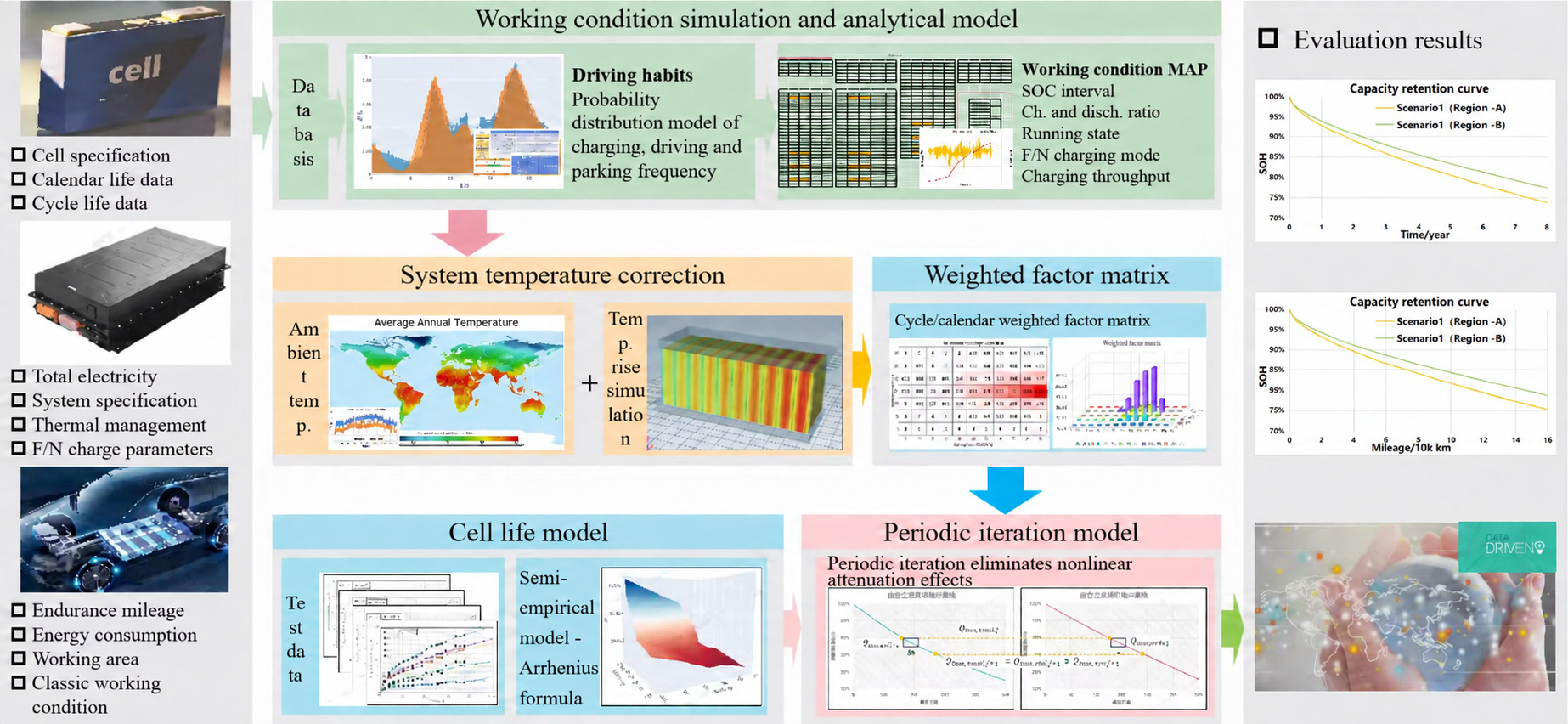
Method & scope
Define the engineering inputs
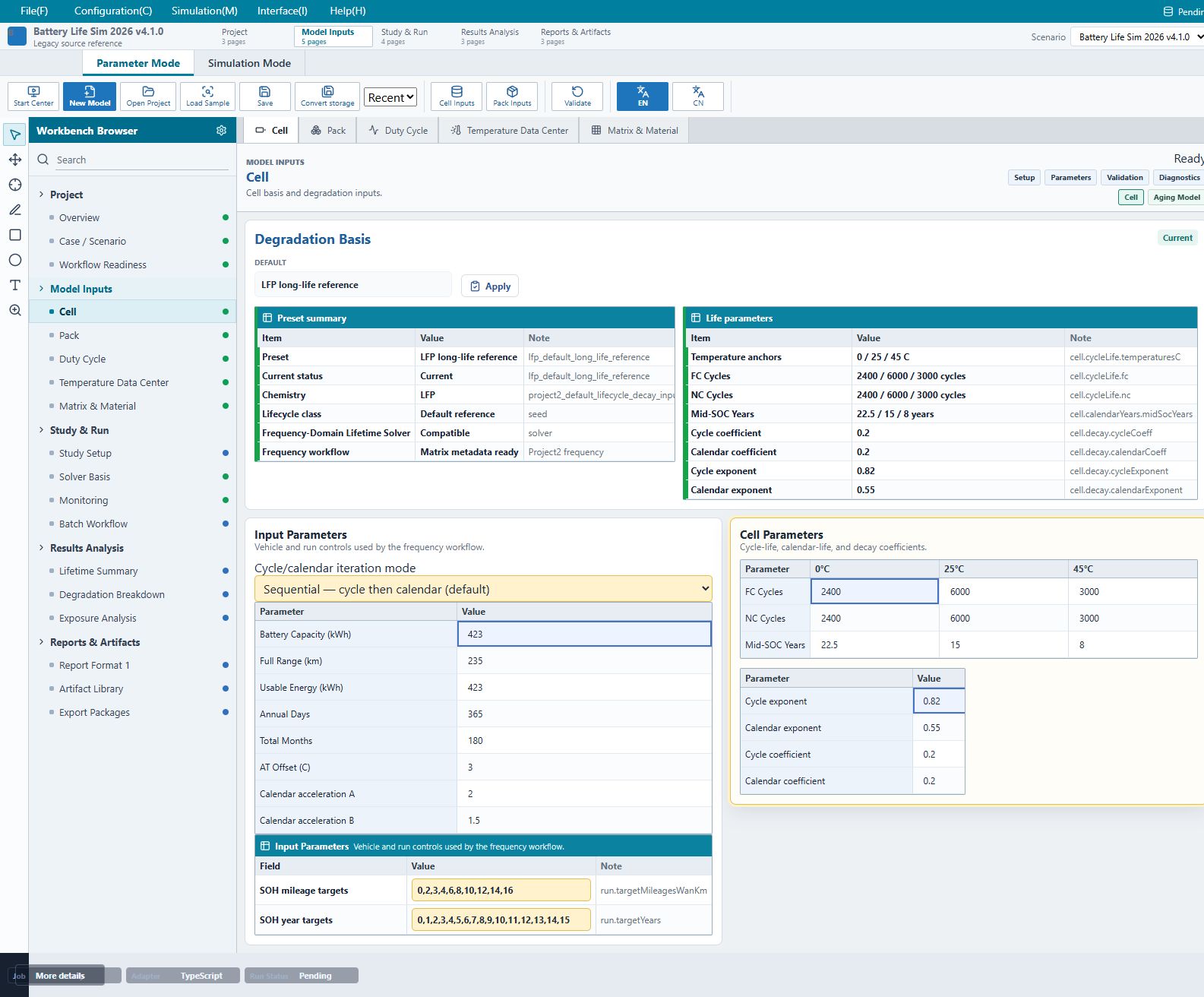
Explore the actual input screens. These are the software’s default inputs, with detailed guidance on units, data sources, and model scope.
Cell, vehicle, and run parameters
Define cycle and calendar life, vehicle energy and range, and the assessment period. Every input needs an applicable data basis.
- Cycle / calendar life and temperature anchors
- Total energy, usable energy, and driving range
- Duration and cycle/calendar iteration mode
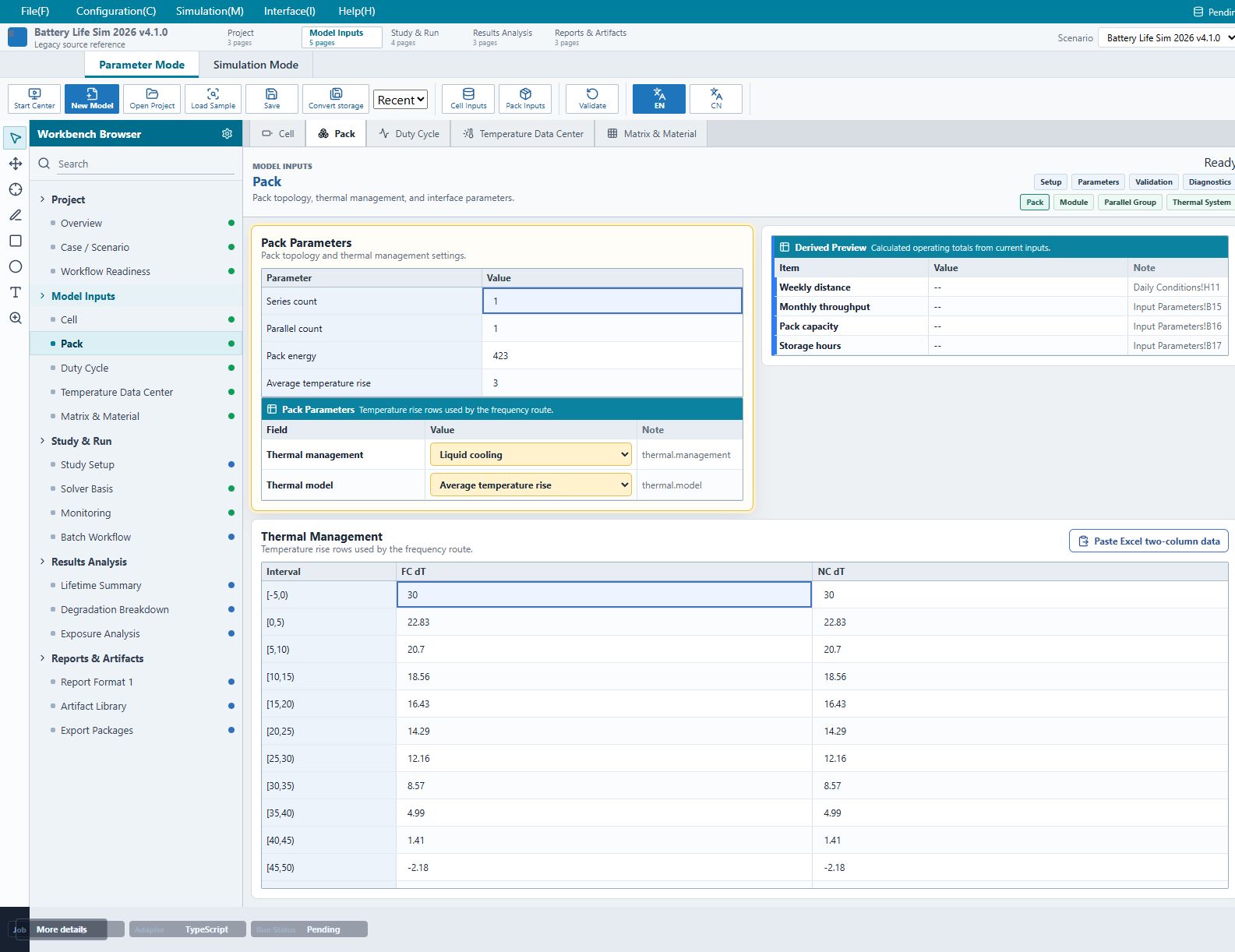
Pack configuration and thermal conditions
Record pack configuration and thermal management. Use average temperature-rise tables for charging under different ambient conditions.
- Pack configuration and energy consistency
- Fast / normal charging temperature-rise tables
- Test, thermal simulation, or engineering basis
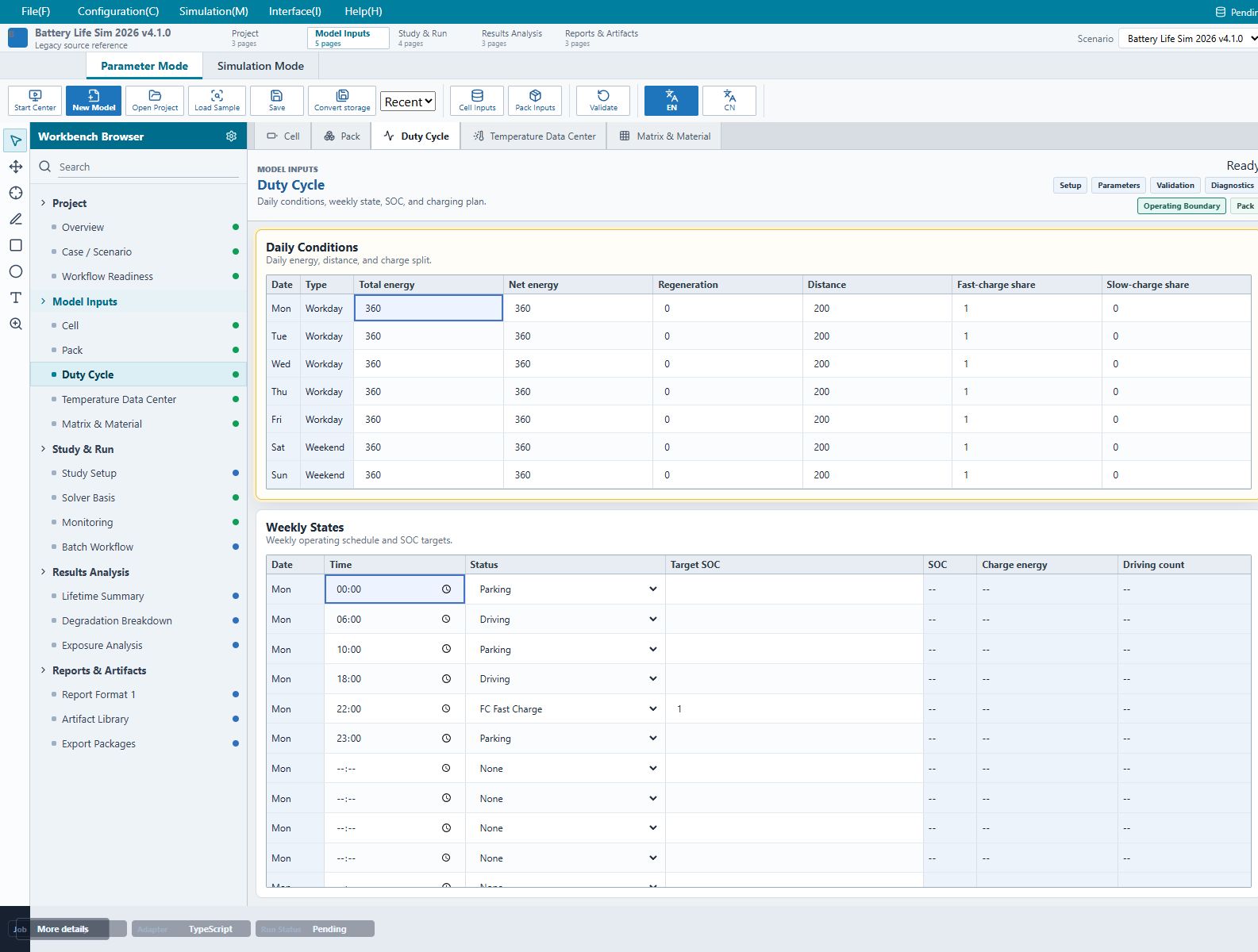
Daily duty cycles and weekly schedules
Combine daily distance and energy with charging shares, driving and parking periods, and target SOC.
- Daily energy consumption and distance
- Fast / normal charging shares
- Weekly driving, parking, and charging events
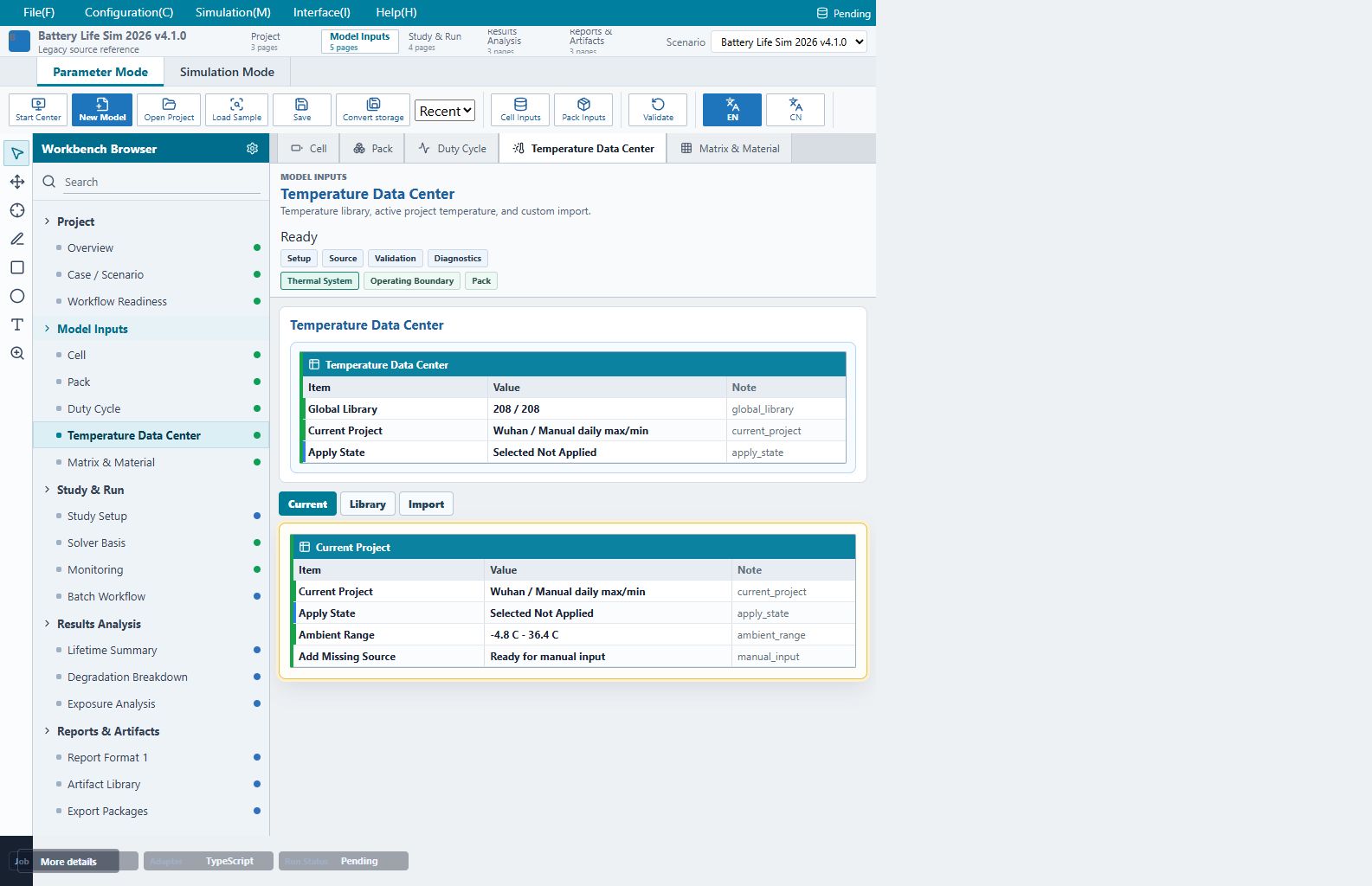
Temperature sources and daily inputs
Enter daily maximum/minimum temperatures, retain sources and processing notes, then verify the daily table applied to the project.
- Daily maximum / minimum and completeness
- Table editing and two-column pasting
- Distinguish estimated series from measurements
From model setup to report delivery
Use the default example to learn the workflow. For an actual project, create a separate model and replace defaults with verified data.
Create a model
Start with the empirical frequency-domain solver and the default example.
Configure inputs
Review cell data, pack conditions, duty cycles, and daily temperatures.
Run & review
Resolve validation messages, run the simulation, and inspect SOH and aging losses.
Save & communicate
Retain the project and results, then prepare and export the report.
Product documentation
Documentation connects the product workflow to its assumptions, units, and current limitations.